Guide
Use your Conxt memory in Claude
Conxt keeps the decisions, preferences and project facts you build up across ChatGPT, Claude, Gemini, Cursor and other AI tools. Connect it to Claude and Claude starts from what you have already decided, instead of asking again.
The setup in 24 seconds, step by step. The same steps, with screenshots, are below.
Before you start
You need a Conxt account, which is free. Create one, then save or import a few memories so Claude has something to work with.
Claude on the web and Claude Desktop
- In Claude, open Plugins, click Add and choose Add custom connector.
- Name it conxt, enter this URL and click Continue:
https://mcp.conxt.dev/mcp/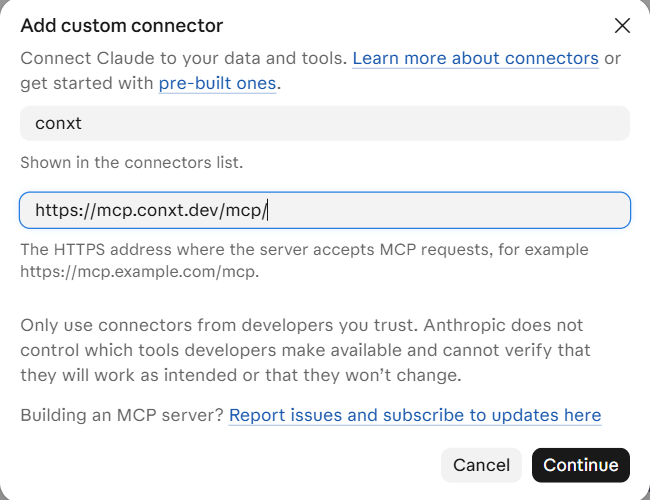
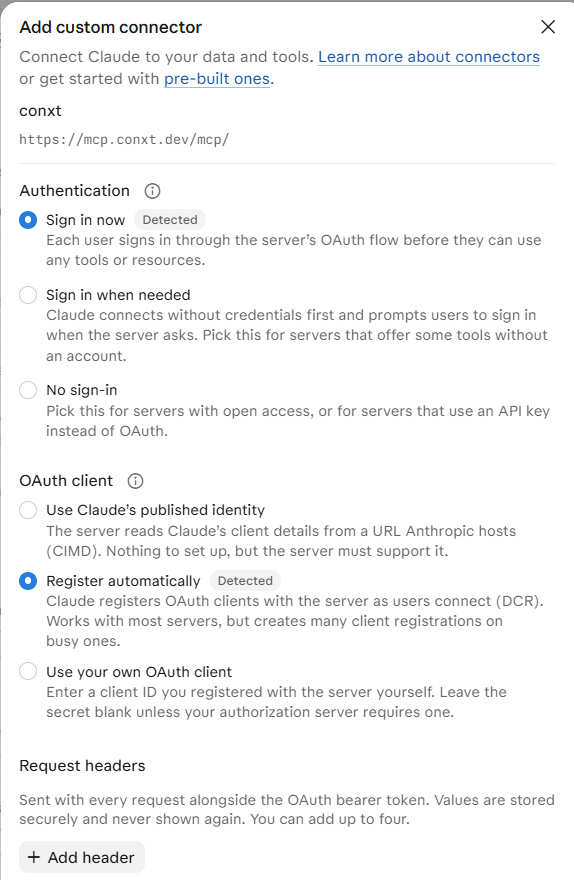
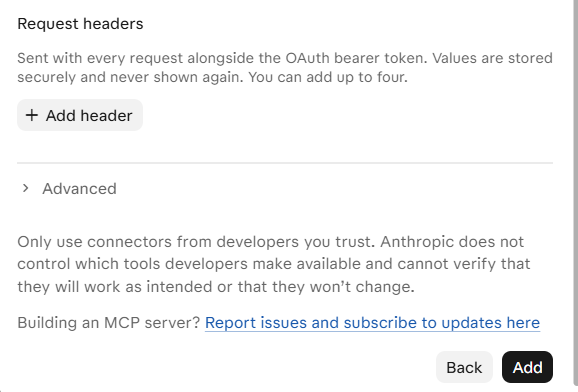
- Leave the sign-in settings as Claude detected them: Sign in now and Register automatically. You don't need to add any headers. Click Add.
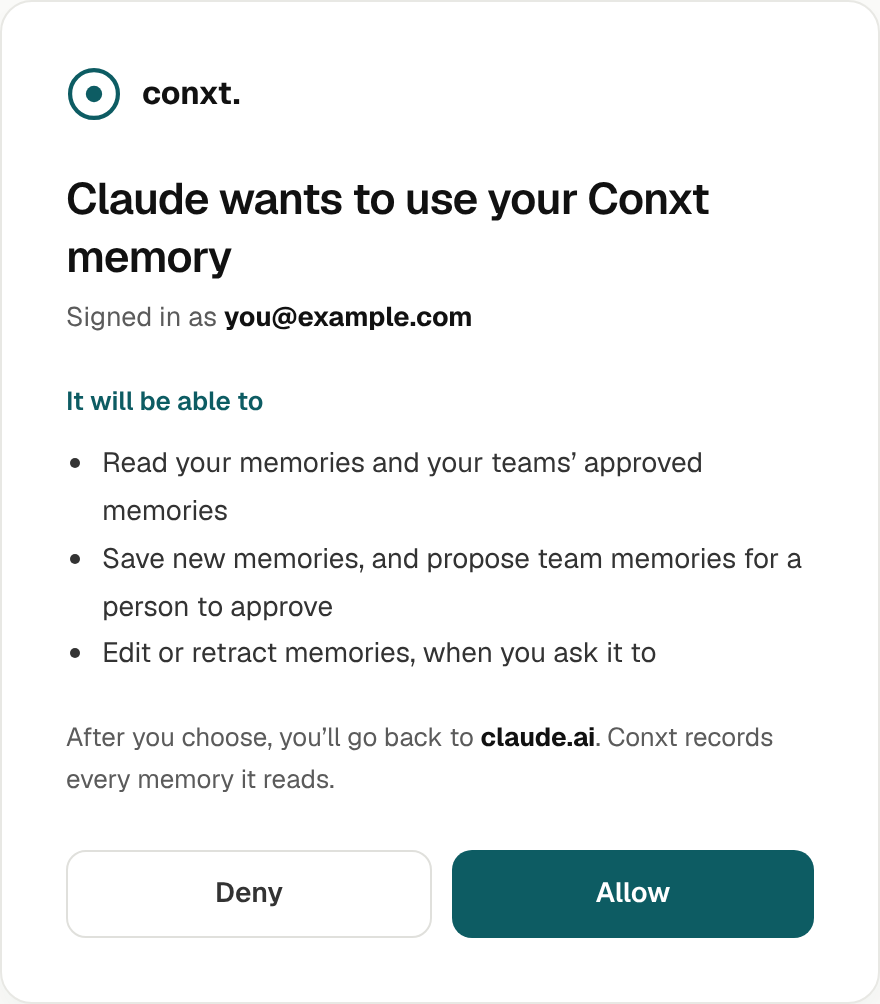
- You go to conxt.dev; sign in if asked. Check the request names the app you expect and returns you to claude.ai, then click Allow.
- Conxt now shows under Your plugins as a custom connector.

- Start a chat and ask, for example: “Use Conxt: what do you remember about my projects?”
Claude Code
Add the server, then run /mcp inside Claude Code and choose Conxt to sign in in your browser.
claude mcp add --transport http conxt https://mcp.conxt.dev/mcp/Prefer an API key, for example in CI? Generate one on Connect your IDE and send it as a Bearer token instead of signing in.
What Claude can do
- Read your memory. Find what is relevant to your chat, search it, and recall what was decided on a given date. Reading never changes anything.
- Save, edit or archive a memory when you ask it to.
- Propose a team memory for a team member to approve.
What Claude cannot do
- Act as you. Claude connects as an app acting for you, not as you. It can propose a team memory or an action, but only a person signed in to Conxt can approve one.
- Reach anyone else’s memory. It sees your personal memory and the approved memory of teams you belong to, nothing else.
- Read your Conxt account settings, billing or API keys. It only reads and writes memories.
Your data
- Conxt records every memory Claude reads, with the app that read it and when.
- What Claude saves is stored in your Conxt memory, like anything else you save, and you can edit or delete it from your dashboard.
- Conxt’s privacy policy covers connected apps, and privacy architecture explains how memory is stored.
Disconnect
Remove Conxt under Plugins in Claude, or run claude mcp remove conxt in Claude Code. To have Conxt revoke the app’s access on our side as well, email us and we will revoke it.
Troubleshooting
- “Couldn’t connect” on conxt.dev: the request has expired. Click Connect again in Claude.
- Claude says it has no memories: save or import some first, then ask again.
- Sign-in keeps repeating: allow cookies for conxt.dev, then try again.
Help
Email hello@conxt.dev and a person will reply.